Launch your radio station in minutes.
Upload tracks, set the rotation, and you’re on air. No servers, no Icecast configs, no technical prep — the whole station runs in a browser tab.
- Sign in with Google — one click
- On air 24/7 with AutoDJ
- Public page, embeds and chat included
The station broadcasts itself.
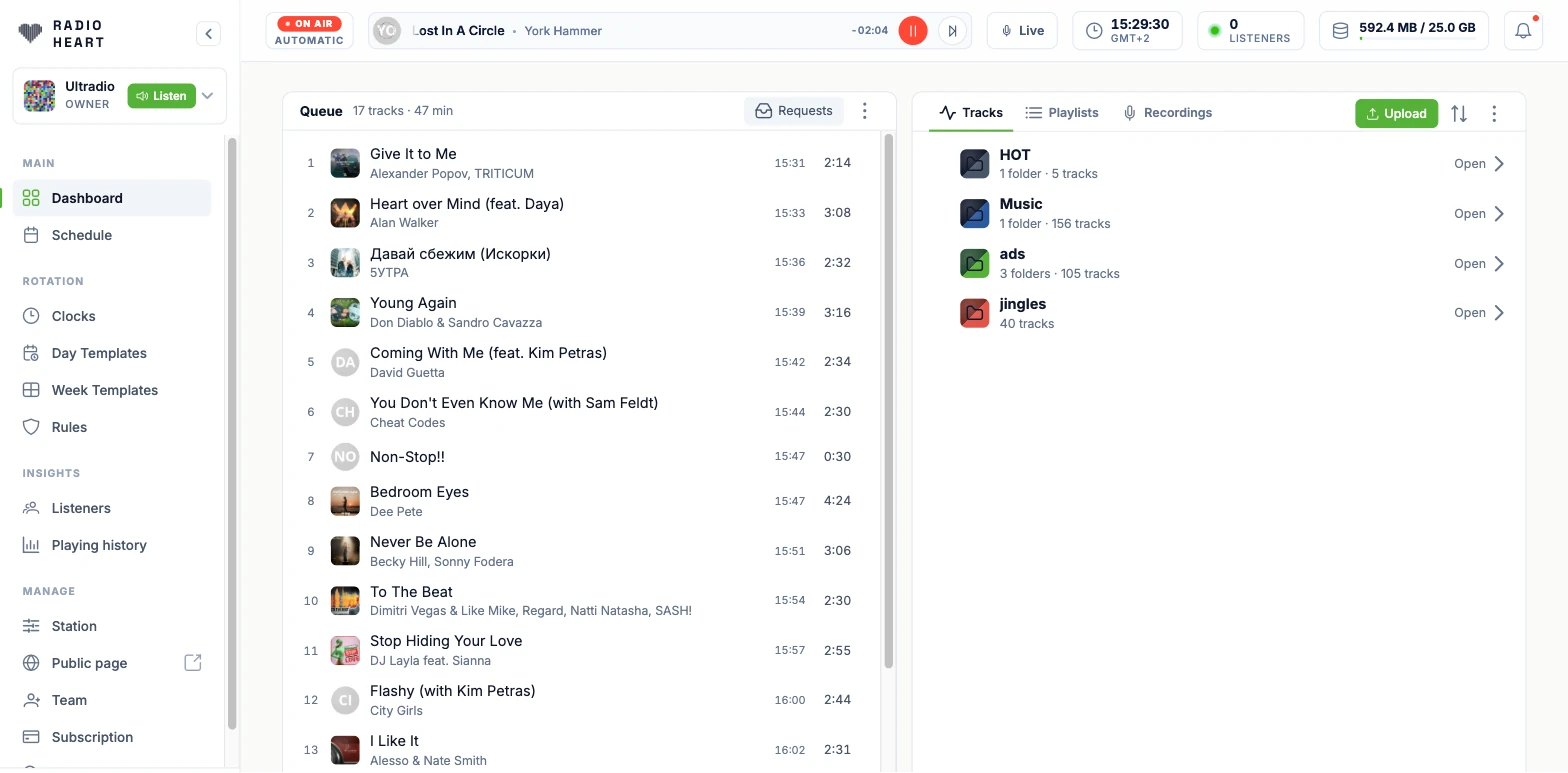
Every station gets its own broadcast container. It plays 24/7 — whether you are at the desk or asleep — and the whole air is steered from one bar at the top of every screen.
- One bar runs the air.On-air state, the track playing, time left on it, pause and skip — pinned to the top of every page in the studio, not hidden in a separate tool.
- The air never goes silent.AutoDJ plays the queue; when the queue runs dry it keeps picking from your library by your rotation rules rather than falling off the air.
- Your numbers, always in view.Live listener count, the station clock in your broadcast timezone, and how much of your storage quota the library has used.
- A standard Icecast stream.Every station has its own public stream URL that any player, directory or app can consume.

Take the mic. Two ways in.
Talk over the music from the browser, or connect the encoder you already use. Either way you cut in over a running AutoDJ — you never take the station off the air to go live.
- A console in the browser.Flip to Pro mode for a three-column board — deck, mic and sound FX — over your queue and library. Push to talk with the space bar, mute with ⌘M.
- The music ducks under your voice.The mic and music faders sit side by side, so the bed drops while you talk and comes back when you stop. Cue the deck in headphones before it goes out.
- Sound-FX pads, paged.Load jingles, stings and drops onto pads and fire them straight into the broadcast, with more than one page of them.
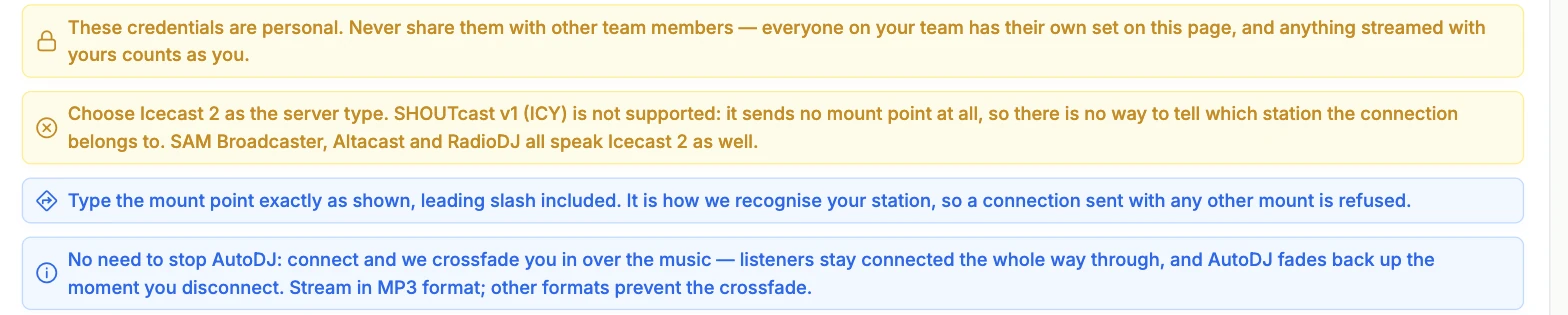
- Or bring your own encoder.Connect SAM Broadcaster, BUTT, Mixxx, Altacast or RadioDJ over Icecast 2. Every team member gets their own credentials, so airtime is attributable to whoever actually streamed it.
- No dead air on the handover.You do not stop AutoDJ first: connect and we crossfade you in over the music, listeners stay connected the whole way through, and AutoDJ fades back up the moment you disconnect.

All your station’s music in one place.
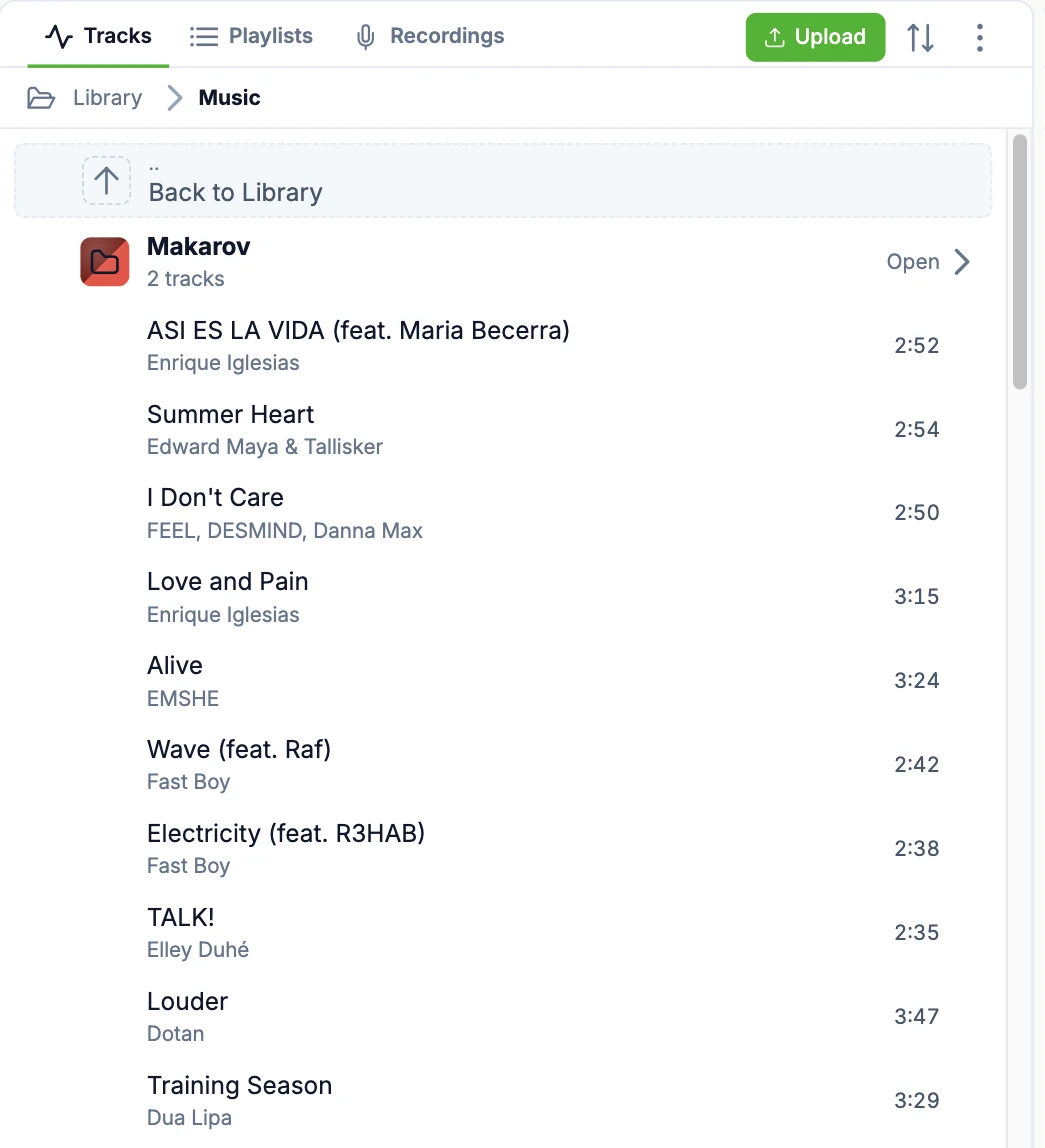
Cloud storage built for radio: nested, colour-coded folders, artwork and metadata on every track, and a search that finds things across the whole library.
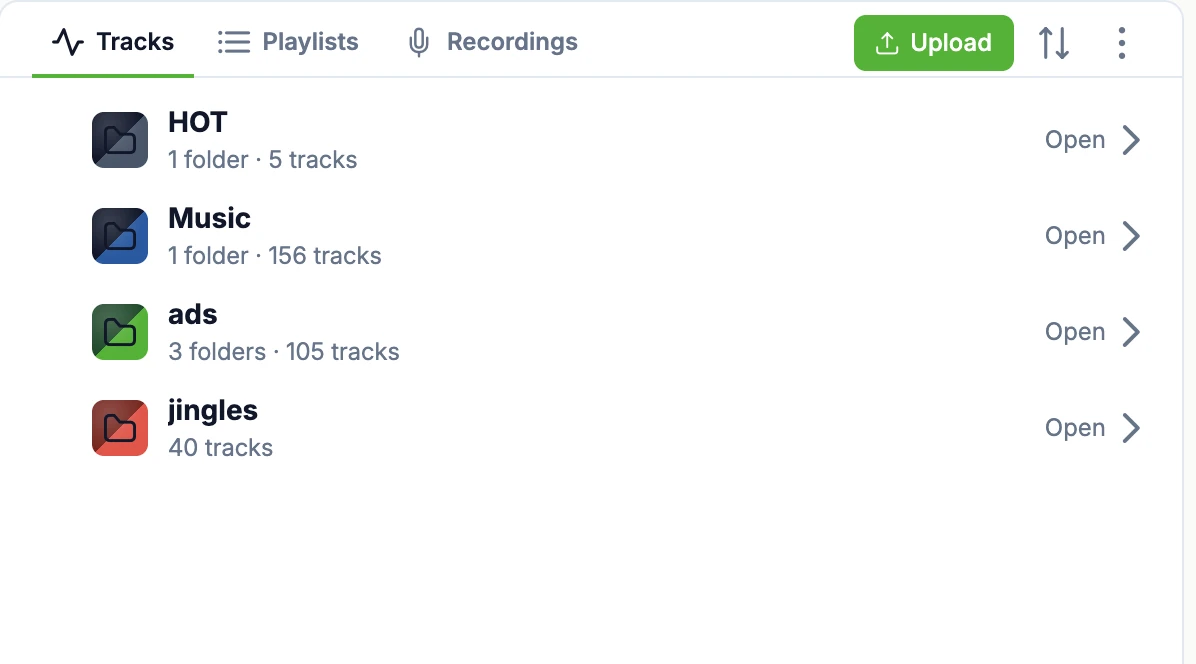
- Folders inside folders.Music, jingles, ads and imaging each get their own tree, with the track count on every folder so you always know how deep a shelf is.
- Artwork and metadata, automatic.Artist, title and duration are read on upload and cover art is matched, so the queue, the public page and every embed have something to show.
- Bulk edits, not one-by-one.Multi-select with ⌘+Click to move or delete in batches, add folders, sort, and search the library by track or artist.
- Recordings live here too.Capture a recording or upload one, and it lands in the library ready to schedule, queue or drop into a clock like any other track.
- Dropbox sync.Coming soonDrop music into Dropbox and have the library pick it up, with no second copy to maintain.
Full control over what plays next.
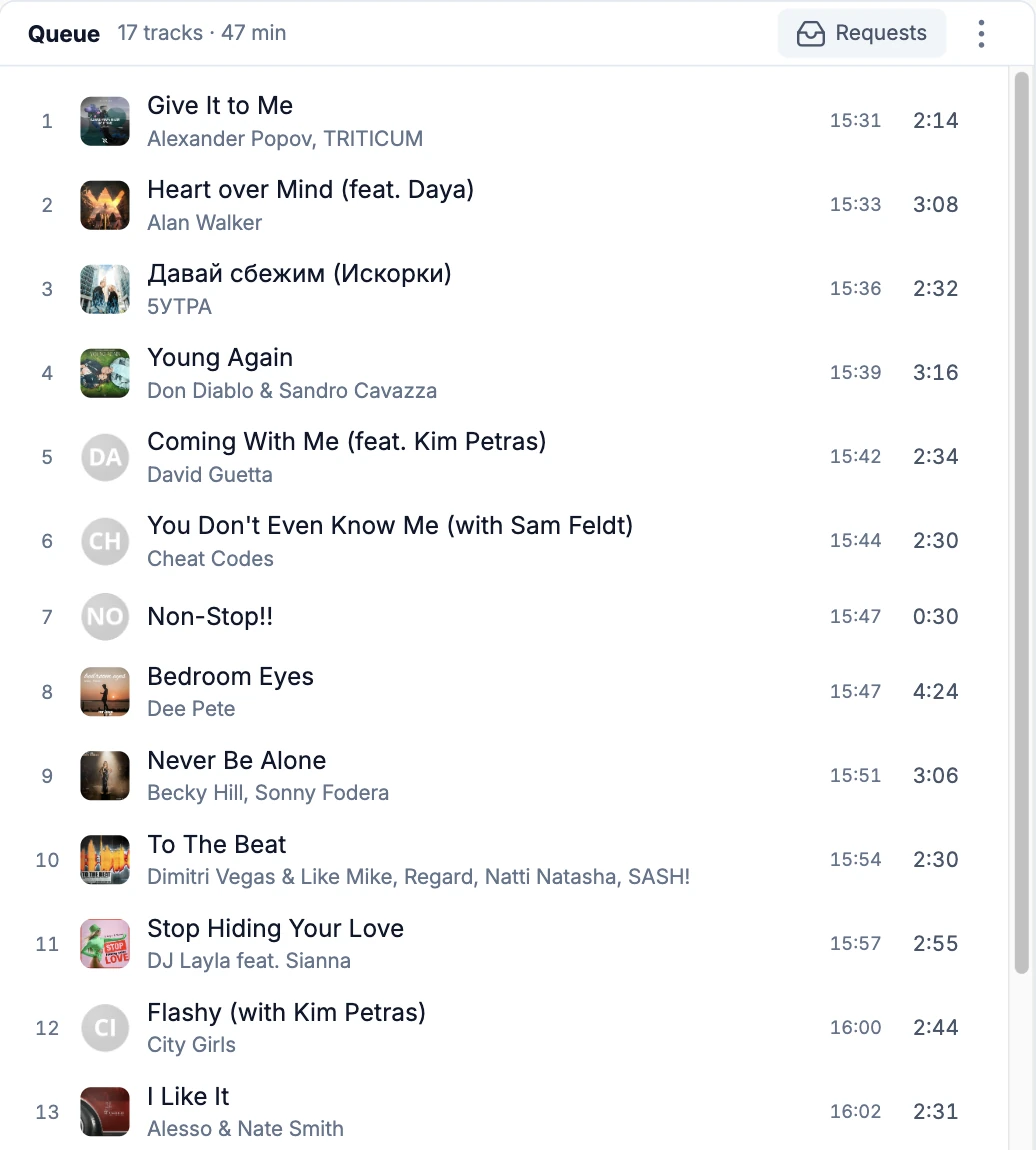
Hands-on programming whenever you want it, on top of whatever the rotation is doing.
- The queue shows the clock.Every row carries the time it will actually hit the air and its duration, with the whole queue’s length in the header — so you can see where an hour lands before it plays.
- Reorder, shuffle, clear.Drag tracks around, shuffle the whole queue, search inside it, or clear it out and start again.
- Work in batches.⌘+Click to select several rows and act on them together instead of one at a time.
- Playlists you can reuse.Build a playlist once and drop it into the queue, a scheduled event or a rotation clock.
A calendar for your air.
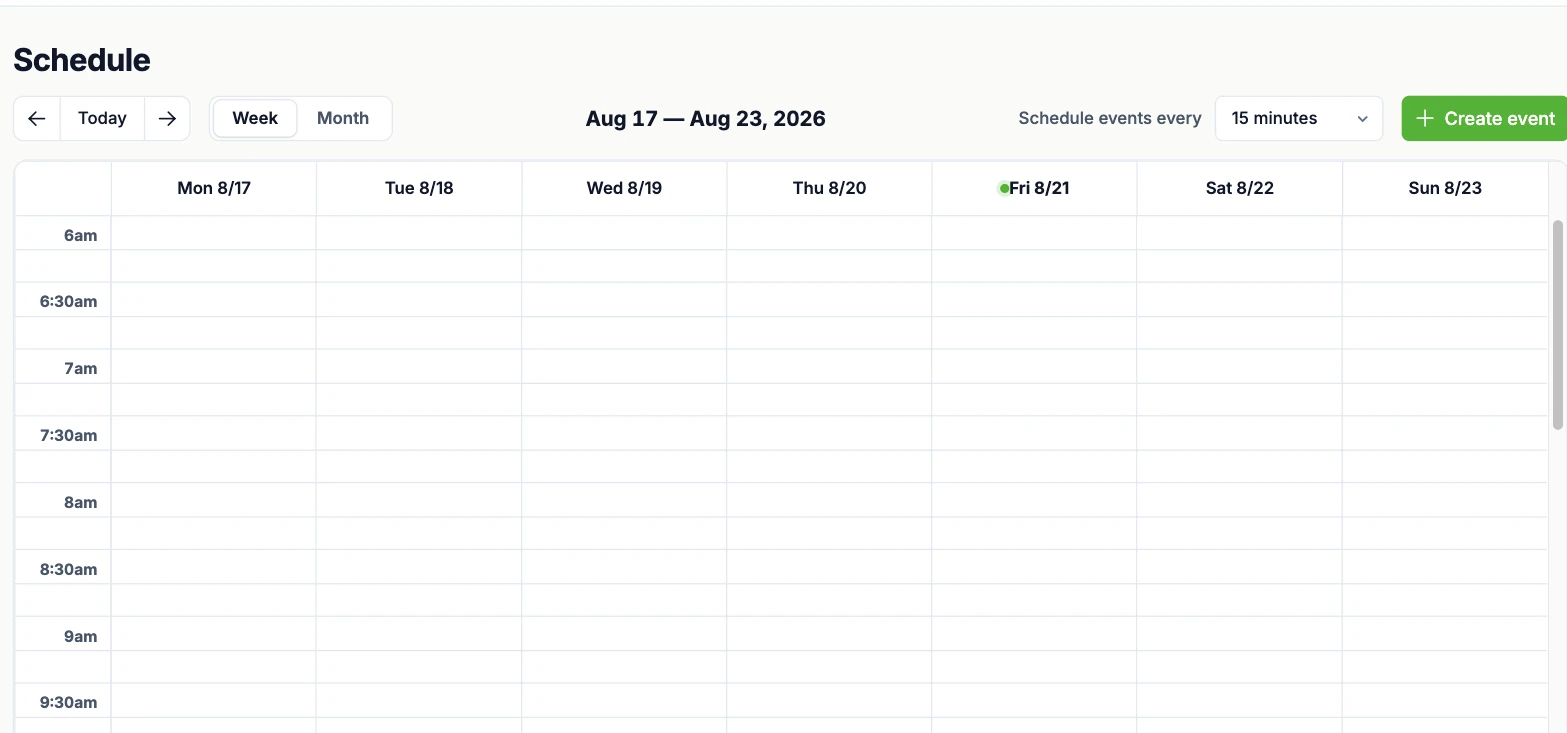
Plan shows on a week or month grid and the content queues itself at showtime — without cutting off whatever is already playing.
- Events carry their content.Drag tracks, folders or playlists into an event and they go to air at its scheduled time; the event name also travels out in your stream metadata.
- Recurrence, not just weekly.Set year, month, day of week, day of month, hour and minute independently — every Friday at nine, the first of every month, or several air times on one event.
- It waits for the song to finish.By default an event swaps in between tracks instead of cutting mid-song. Turn that off when the start time matters more than the segue.
- Take the queue or join it.Choose whether the event replaces whatever is queued at start time or simply plays alongside it.
Program your air like an FM station.
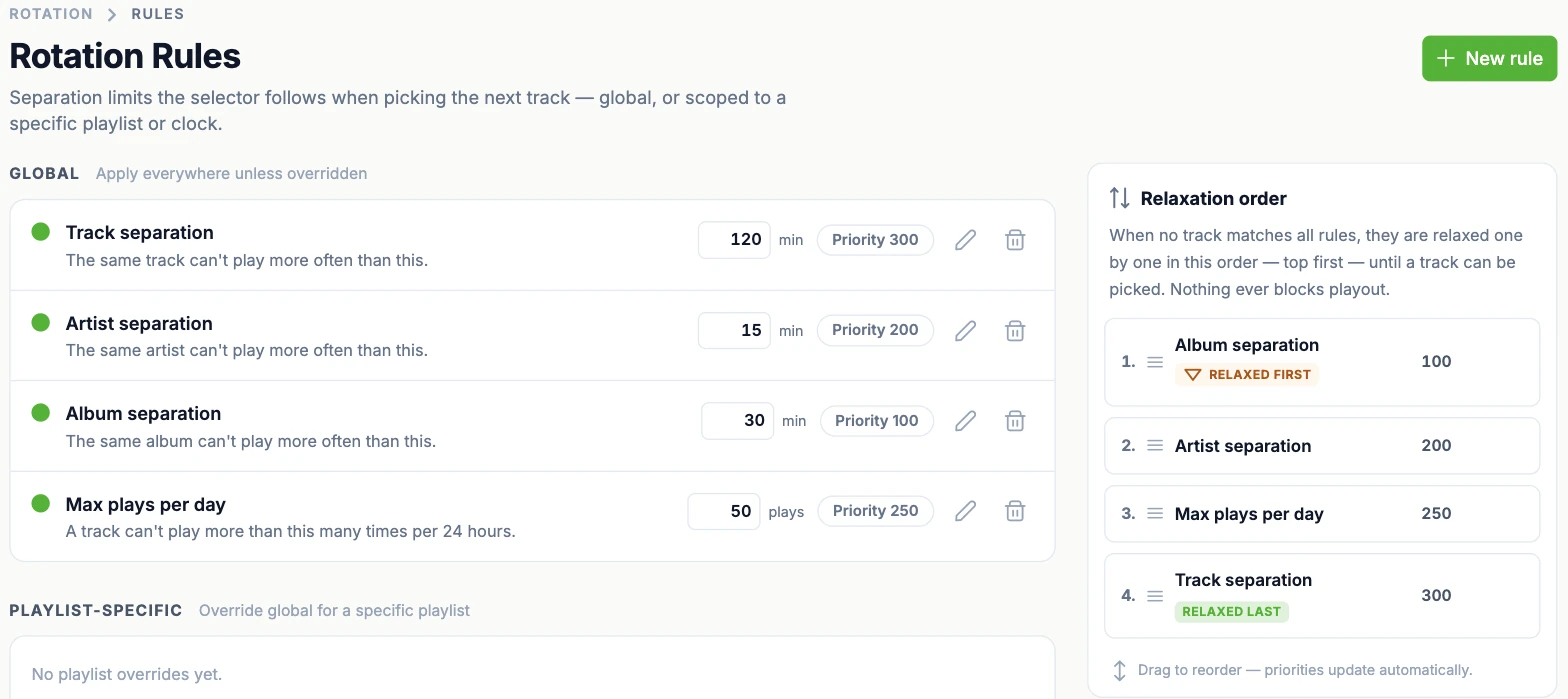
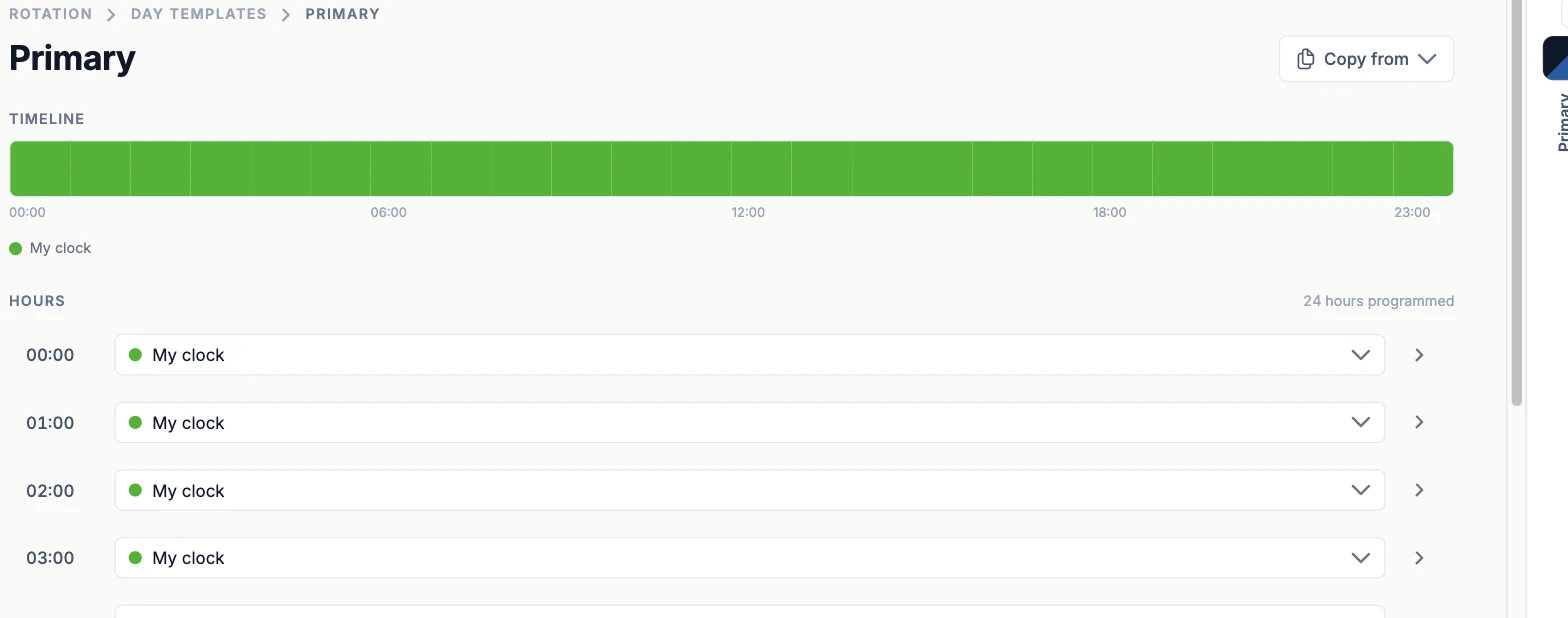
Build an hour out of slots, map hours to a day, map days to a week — then let separation rules choose the actual tracks. One week template is active at a time, and it controls the live rotation.
A ready-made home for your listeners.
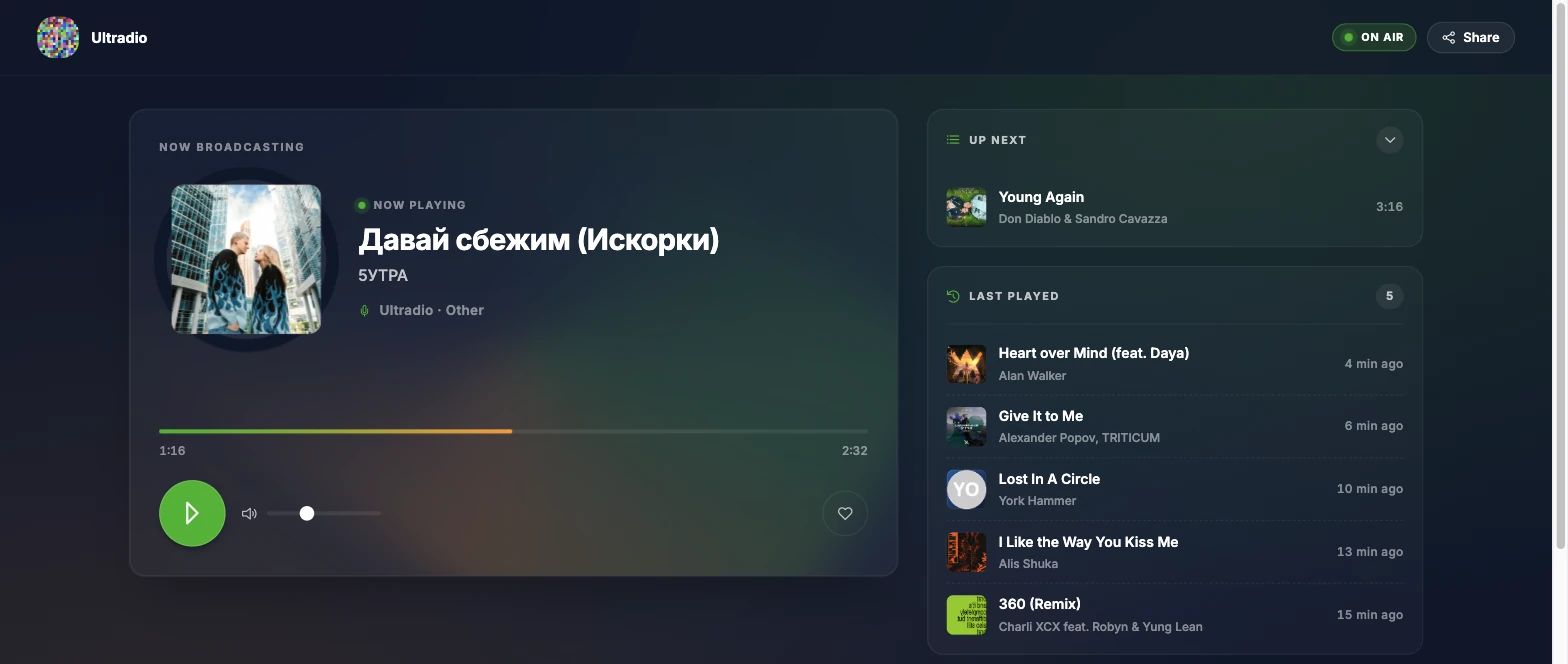
Every station gets a public page you can share on day one — no website needed. Live player, live data, and a room your audience can talk in.
- Now playing, up next, just played.The page shows what is on air with its artwork and progress, what is queued behind it, and what has just been played, updating without a reload.
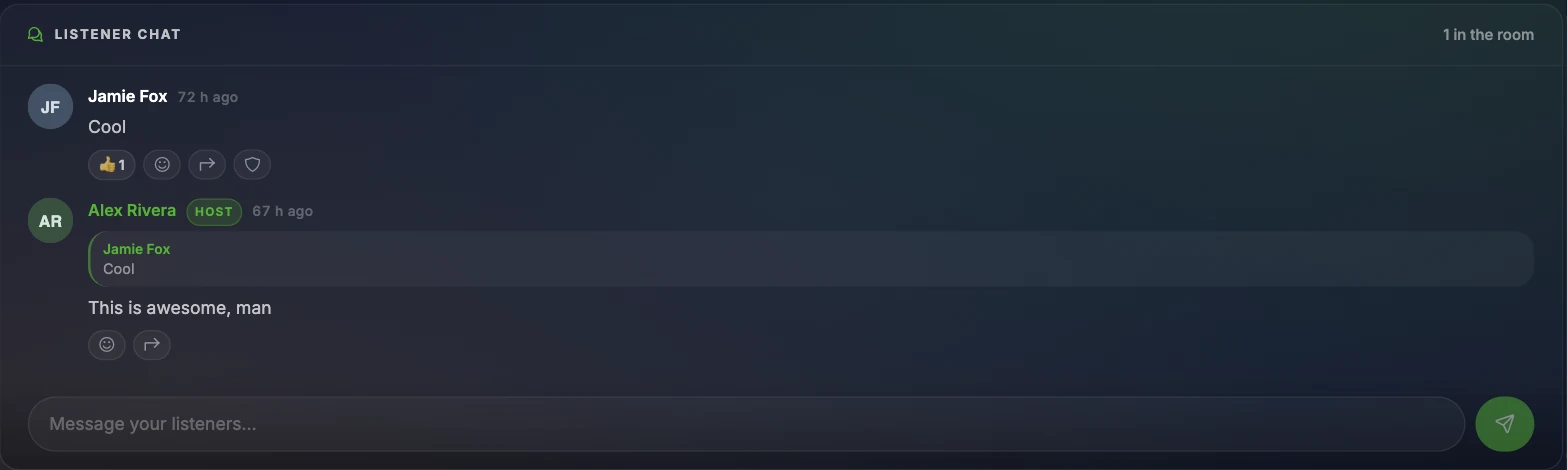
- A chat beside the player.Listeners reply to each other with quoted messages and emoji reactions, and the host is badged so it is obvious who is running the room.
- Requests come to you.Listeners search your library and send a track with a note; it arrives in the studio as a pending request you can approve into the queue.
- Built to be shared.A share action, an on-air badge, and a theme that takes its colour from the current cover art.
- Branded mobile apps.Coming soonYour station in your listeners’ pockets — your name and artwork, on the App Store and Google Play.
Put the station on your own site.
One script tag, then paste in a player or a widget. Everything is already wired to your station, and your stream URL and name follow from your station settings.
- Style-isolated
- No dependencies · 15 KB gzipped
- Responsive · touch-ready
- Keyboard and screen-reader ready
Add the script once.
Paste it before the closing body tag on any page that will hold a player or a widget. One script covers all of them, your site’s CSS cannot reach inside them, and they cannot reach out into your site.
<script src="https://studio.radioheart.io/embed/v1/rh-embed.min.js" async></script>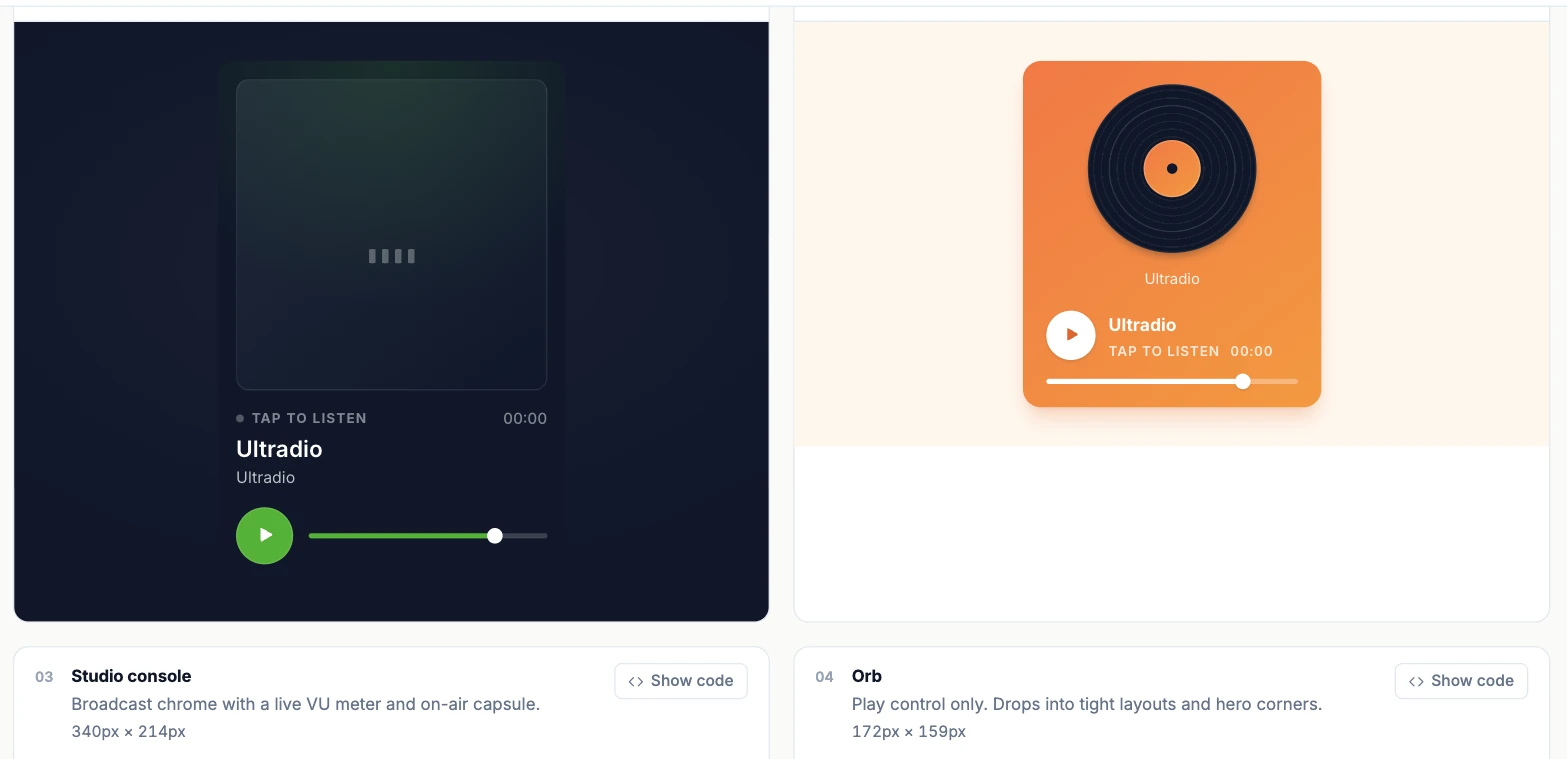
- Eleven playersFrom a full cover card or spinning vinyl down to an inline pill, a ticker strip or a floating dock — pick the one that fits the space you have.
- Now playingThe current track straight from the playout engine, as a card, an inline line, a hero block or a version with a progress bar.
- Recently played & up nextThe last ten tracks that went to air and the next ten in the queue, as a list, a dark table or a timeline.
- ListenersA live count as a stat card, pill, banner or odometer.
- Track requestLet visitors search your library, pick a track and add a note — it posts straight into the studio queue as a pending request.
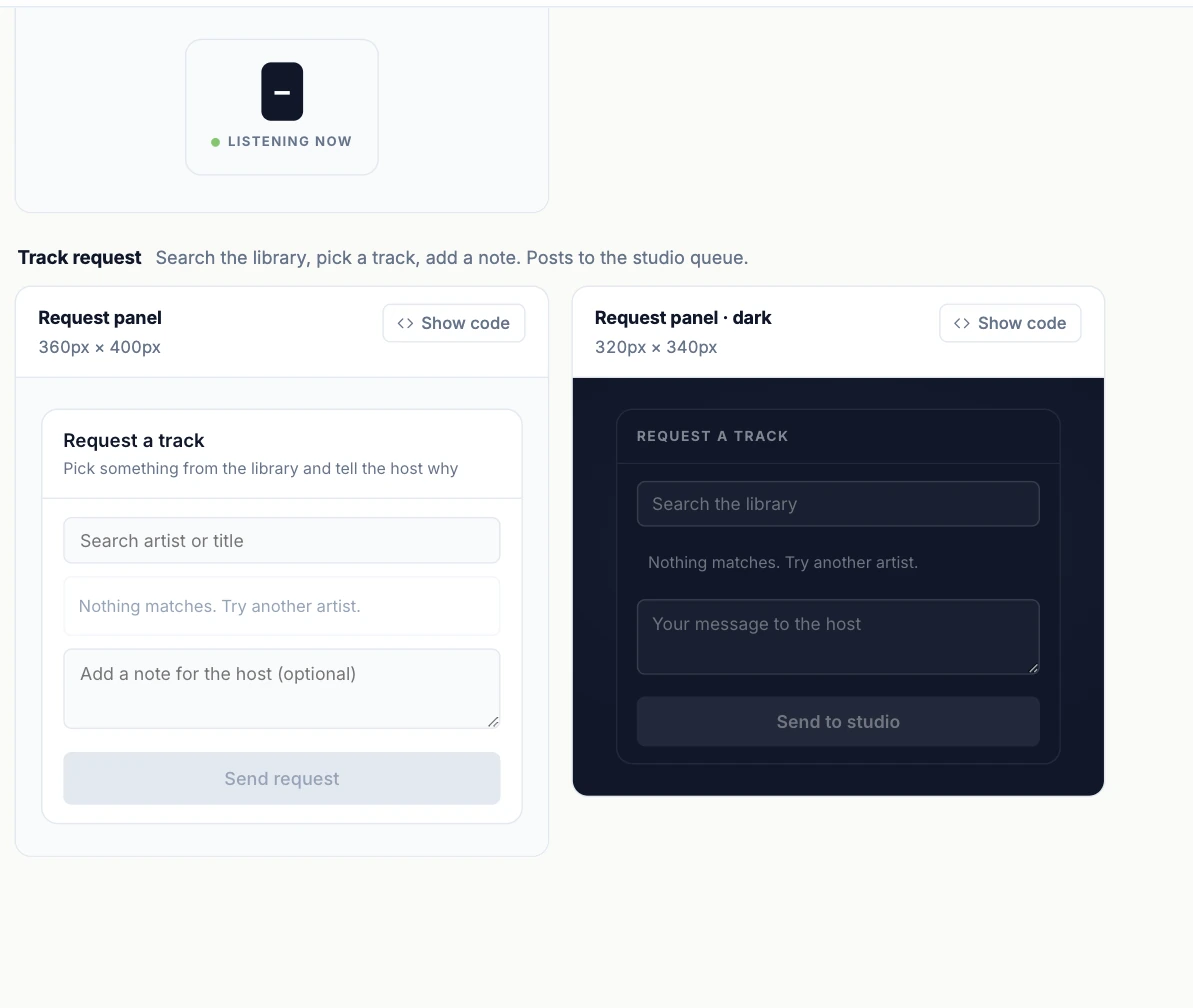
The listeners widget publishes the live count and nothing else — peaks, trends and geography never leave the admin side.
Let your other tools read the air.
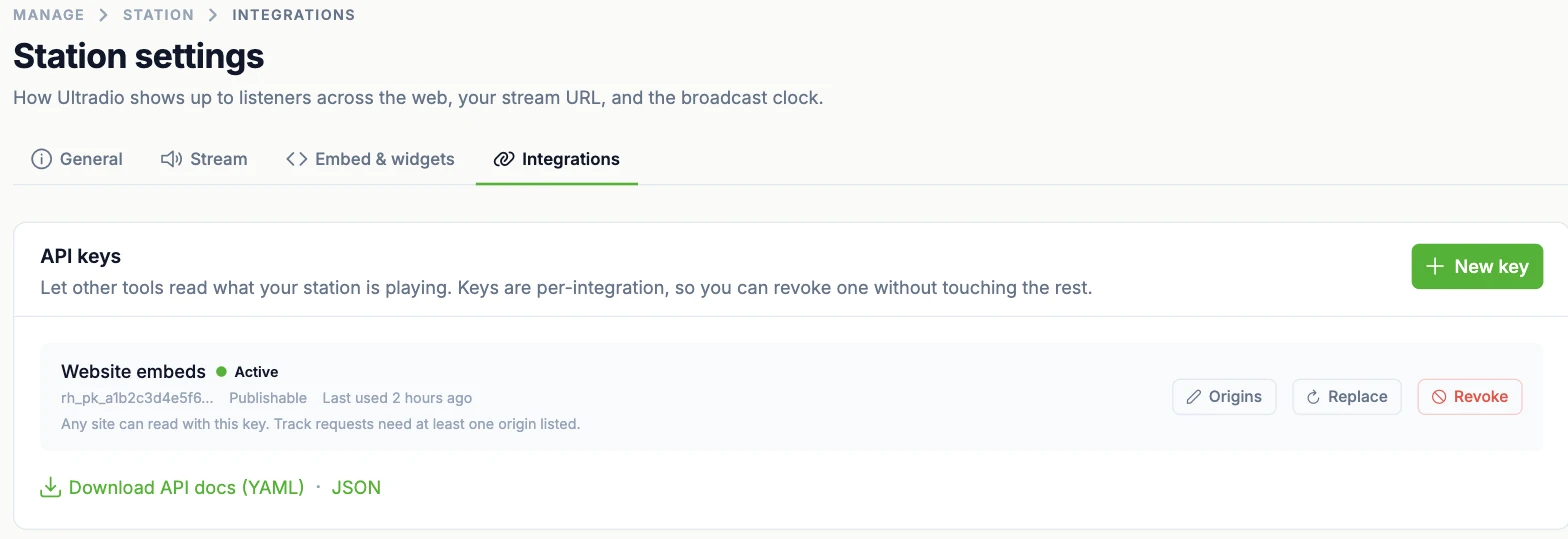
A read-only public API with keys you issue per integration, so a widget, a site or a partner can see what is playing without ever being able to change it.
- A key per integration.Issue one key per thing you connect, and revoke or replace that key without touching any of the others.
- Publishable and read-only.Embed keys are meant to be visible in your page source: they can read what is playing and nothing else.
- Locked to your domains.Pin a key to the origins allowed to use it — required before track requests can be posted from your own site.
- Documented, not reverse-engineered.Download the OpenAPI description as YAML or JSON and point your client generator at it.
- Webhooks.Coming soonHave RadioHeart call your endpoint when the track changes, instead of you polling for it.
Know your audience, and your air.
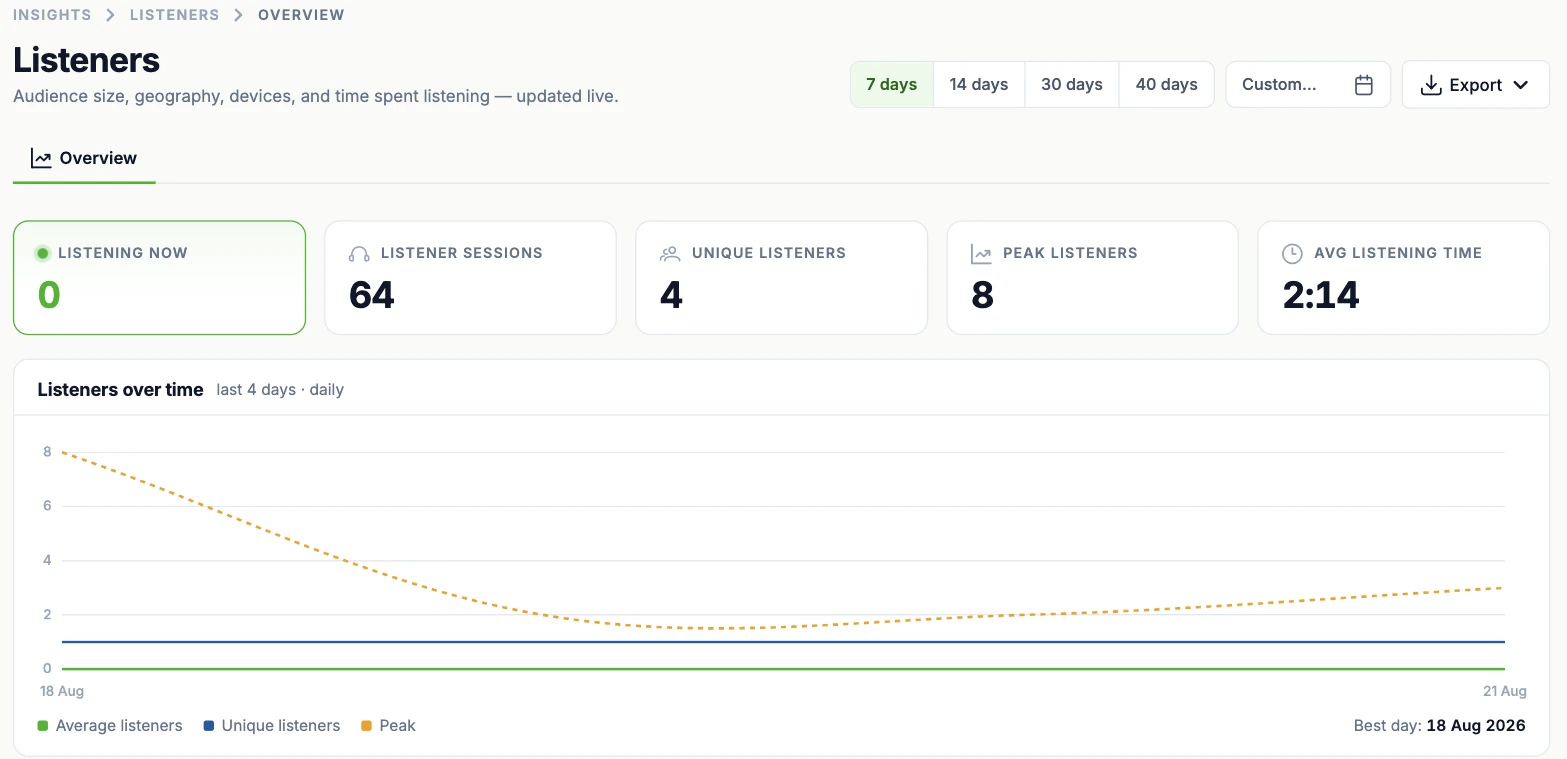
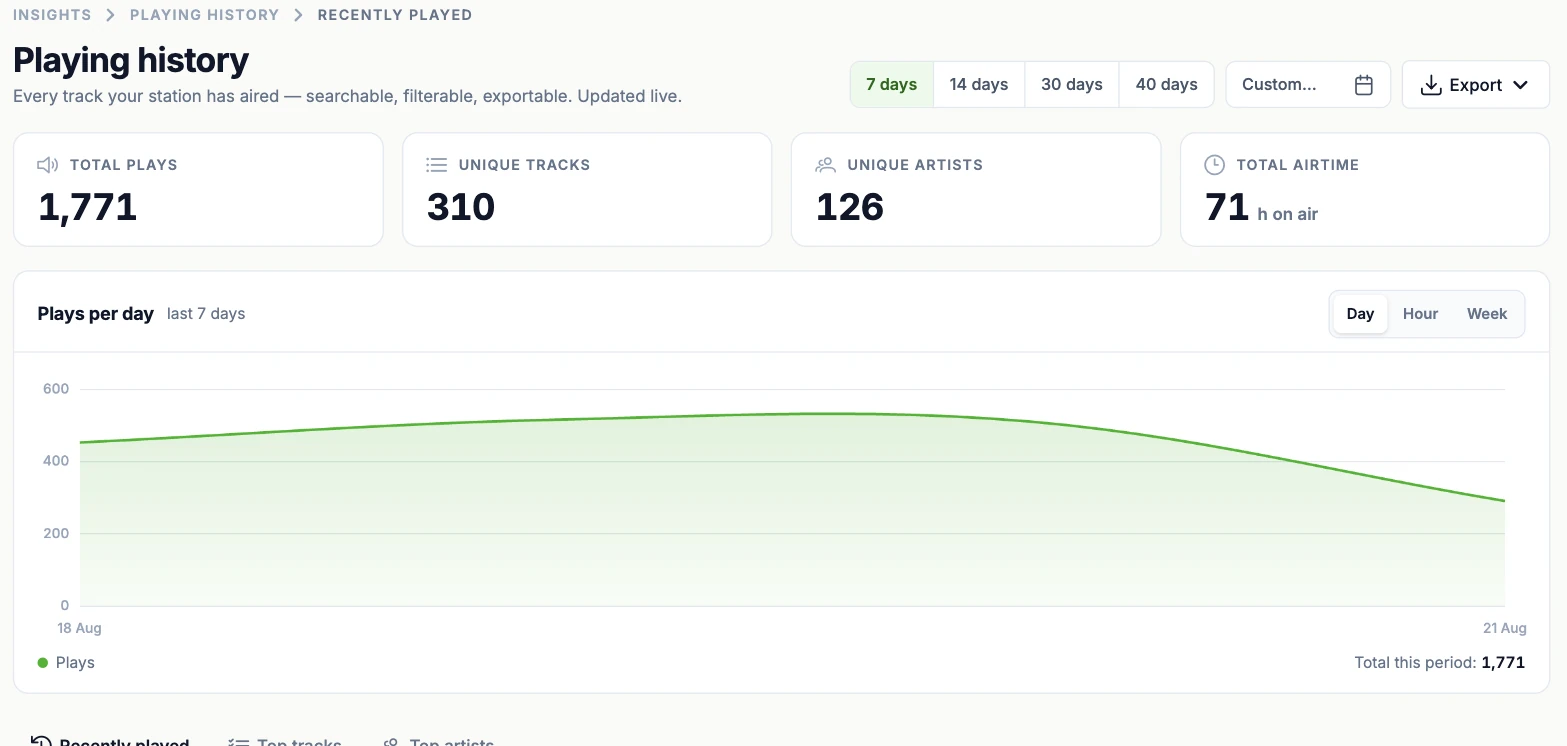
Two live views of the station: who is listening, and what actually went out. Both filterable by period and exportable.
- Audience, live and over time.Who is listening right now, plus sessions, unique listeners, peak, and average time spent listening — charted across the period with your best day called out.
- Where they are and what they use.Listeners broken down by country, by device, and by the player they tuned in with.
- Every track that aired.Total plays, unique tracks and artists, and hours on air, with plays charted by day, hour or week.
- A searchable log, not a summary.Recently played, top tracks and top artists, with album and ISRC columns and a source badge showing whether a play came from rotation — searchable and exportable to CSV.
Run it together. Run several.
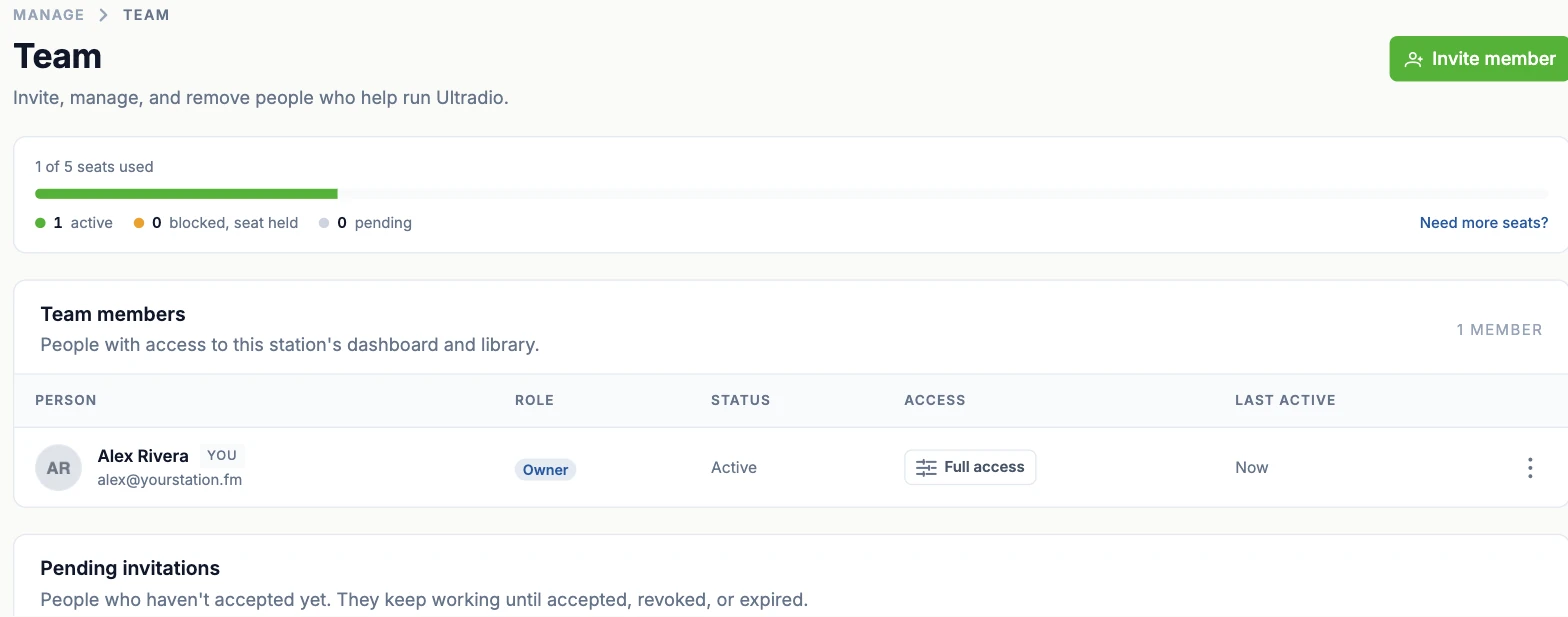
A station is usually a team thing — and one account can run more than one station, each fully separate.
- Seats, not guesswork.Your plan comes with a number of seats and the page shows exactly how many are in use, how many are held by blocked members, and how many invitations are still outstanding.
- Invitations with a lifecycle.Invite by email; a pending invitation keeps working until it is accepted, revoked or expires, so nobody is left in limbo.
- Access you can see at a glance.Every member’s role, status, access level and last-active time sit in one table.
- Several stations, one login.Switch between stations from the sidebar and spin up a new one whenever you need it — data, library and team stay separate per station.
- SSO via SAML.Coming soonProvision and de-provision people at the directory level instead of one invitation at a time.
From sign-in to on air, three steps.
Sign in with Google
One tap — no passwords, no email confirmations.
Continue with GoogleCreate your station
Pick a name, drop in a logo, set your broadcast timezone. Your public page and stream URL are ready immediately.
Upload tracks — go live
Drag in your first tracks, build an hour or just fill the queue, and the station starts broadcasting.
One transparent subscription per station.
- Payments via Stripe — card details never touch us
- Prices and dates shown before anything is charged
- Change plan any time; the difference settles on the next invoice
- Cancel in two steps, no dark patterns
Your station is one tab away.
Sign in with Google, upload a few tracks, press Start. You’ll be on air before the coffee’s done.
14-day free trial · Cancel anytime